
-
(630) 281 6464
8:30AM - 5:30PM (US Central Time) -
Contact Us
Sales@VisioStencils.com
World’s Largest Device Library
When it comes to modeling enterprise physical infrastructure in Microsoft Visio, no other Stencil Library can match the capabilities of the NetZoom Visio Stencils Library. The NetZoom Visio Stencils Library is the world’s largest device library containing over 250,000 devices from over 5,000 equipment manufacturers. It has been used by thousands of IT professionals worldwide for over 20 years. The NetZoom Visio Stencils Library covers all categories of hardware devices used in data centers, and provides an unmatched level of detail and technical accuracy, which allows users to model their assets down to the port level.
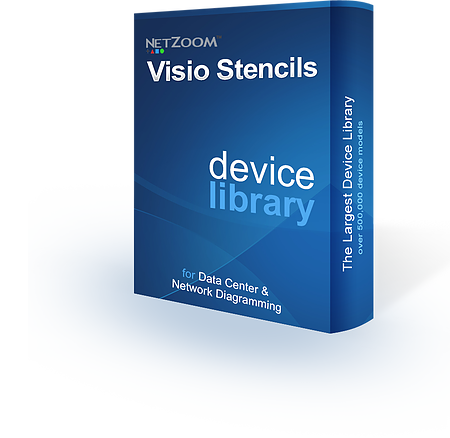

To be used with Microsoft® Visio®.
- 500,000 shapes from over 250,000 devices
- 5,000 equipment manufacturers
- Covers all hardware categories
- Customizable device models
- Port-to-port visibility
- Library is continually updated
- Free Customer shape requests
- All versions of Microsoft Visio supported!

Network Diagramming Done Right
We work hard to ensure our library of Stencils is not only the world’s largest, but also the most detailed. Every screw, bolt, port, and slot is configured to be an exact replica of the equipment they represent.
Detailed Port Information

Hardware shapes and stencils are extremely detailed and come with embedded data ports and power ports that are marked with connection points, which can be used to make port-to-port connections as well as for the designing of high quality wiring diagrams.
Configurable
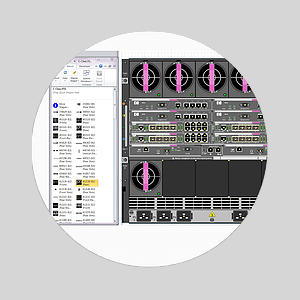
Simply drag and drop cards and modules into empty slots to configure chassis and create accurate true to life replicas of your equipment.
Front & Rear

Equipment shapes and stencils come with multiple views so that users can better customize their diagrams to reflect the real thing. For example a Cisco 2811 is normally inserted with the back facing the front so IT Professionals can access the ports, and now your diagrams can reflect that modification easily.
Properties
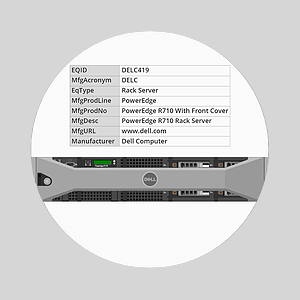
NetZoom Visio Stencils are true-to-life replicas of hardware equipment that come with embedded data such as manufacturer information, product information, and dimensions, which can be seen or modified using the Shape Data window in Visio.
Details

Shapes from the NetZoom Visio Stencils are extremely high quality and accurate. They reflect the exact specifications of the product including details such as the logos, ports, and slots.
Vector Scalable

NetZoom Visio Stencils and shapes are scalable vector graphics. For instance, when you resize a shape or stencil in Visio, you can be assured that the quality of the shape will not be compromised and the correct shape proportions will be maintained.
Get the Brochure